
As a demonstration of my expertise in audiovisual localization, I localized the on-screen texts for the following video from Spanish into simplified Chinese, and also created open captions in Chinese for the video. To achieve my goals, I used Adobe Premiere and Adobe After Effects as the main tools.
Preparation
My very first step to localize this video was to analyze its content to see the localization scope of this video and what strategies to adopt for different elements in the video.
For instance, I didn’t scope the logo of the YouTube channel appeared at the beginning of the video as it does not affect viewers’ understanding of the video content and the background is dynamic animation, which poses a huge challenge for localization, and it just doesn’t worth it to localize it. But for the rest part of the video, all titles and subtitles that appear as on-screen texts need to be localized.
I also considered about how to translate the transcript and create subtitles for this video as it is a funny video and I have to use transcreation strategy to translate some of the punchlines to make them make sense and reserve the funny effects in Chinese.
After scoping, I listed out the tools I need and double checked my accessibility to them.
On-screen Texts Localization
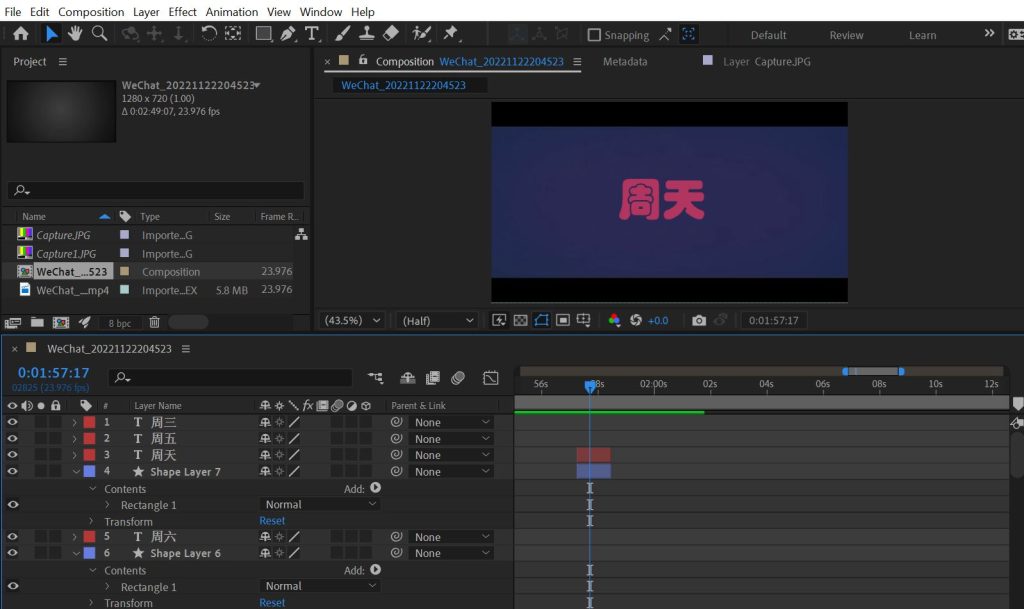
To localize the on-screen texts in the video, I used Adobe After Effects.
The first step was to create overlays to cover the original on-screen texts. Luckily, the backgrounds of on-screen texts in this video are in plain color, so I just needed to create squares in a single color and put them above the original video to hide the texts.
The second step was to create localized on-screen texts in Chinese. To mimic visual effect of the original texts was challenging because the original ones were presented using a special font and the text size expanded and shrank as a visual effect. I searched for special fonts in simplified Chinese online and installed a new font that was the most similar to the original one. To reserve the visual effects, I marked several animation points in the video sequence and changed the size of the texts so that Chinese viewers can enjoy the same dynamic video effects as Spanish audience. Besides these two main challenges, I also needed to change the color of the Chinese texts, add line breaks so that it wouldn’t create reading difficulties for Chinese viewers.
Open Captions Creation
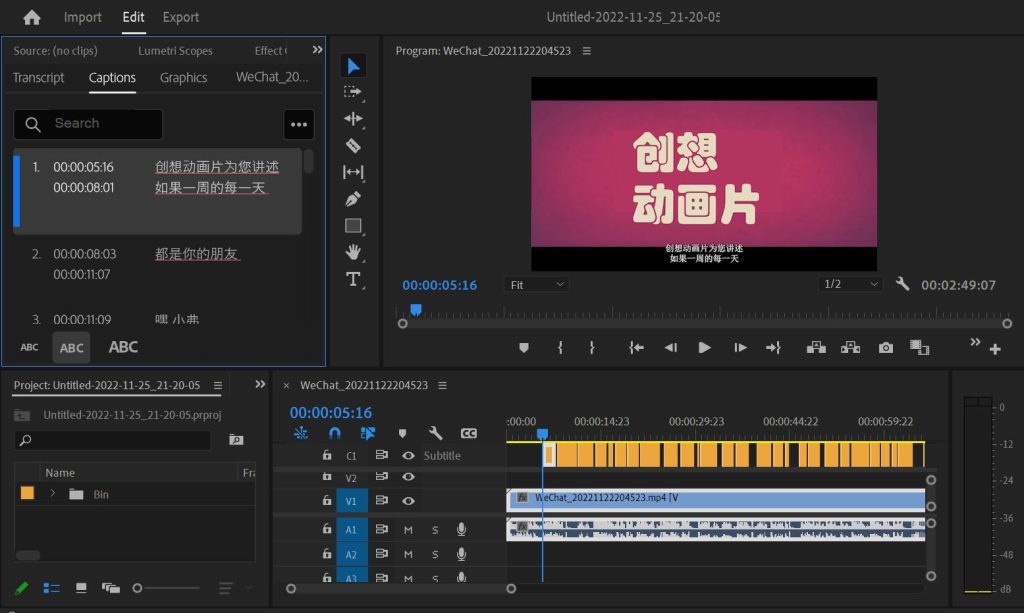
After I was done with on-screen texts localization, I moved on with open captions creation in Adobe Premiere.
I used the “Transcribe sequence” function in Adobe Premiere to create timestamps and a Spanish transcription. Afterwards, I translated (or transcreated) the transcription into simplified Chinese. I had to alter the timestamps a bit and added line breaks so that the captions would make sense.
After creating the subtitles, I watched the whole localized video a couple of times as testing to see if the change of subtitles was too quick for the viewers to read the texts through and if the subtitles were big enough and wouldn’t cause eye fatigue.
Lessons Learned
In this project, I acted as localization project manager, localization engineer, translator, and reviewer at the same time, which offered me an overview of what it looks like to localize a video from end to end.
Here are some lessons learned from this project.
1. Scoping is important as a starting point, and proper scoping will save a lot of time when the project is officially carried out.
2. When it comes to entertaining videos, transcreation is an important step and therefore, the choice of linguists is significant.
3. To re-create visual effects in a video is much more time-consuming than working on the editable video editing file. It’s always the best practice to ask for source file from a client.
Below is the localized video. Hope you enjoy it!